

Run your service department on one system, not a stack of sticky notes.
PowerLogPro centralizes service requests, scheduling, technician assignment, customer communication, and repair-order visibility — built for motorcycle, ATV, and UTV dealerships.


Service departments run on scattered tools
Notes on the counter, calls on personal phones, texts the next advisor never sees, and a whiteboard that's out of date by noon. The information exists — it just isn't in one place.
Scattered notes & whiteboards
Job details live on paper, sticky notes, and a board nobody trusts — so status questions turn into a walk to the back.
Calls & texts everywhere
Customer updates happen on whoever's phone answered. When that advisor is off, the history is gone.
Disconnected systems
The DMS, the calendar, and customer communication don't talk to each other, so the same job gets re-entered three times.
One place for the whole service workflow
PowerLogPro brings service requests, scheduling, customer communication, and repair-order visibility together — so service advisors, technicians, and the front counter all work from the same up-to-date picture.
- Every job is a record. From online check-in or DMS import to pickup — nothing lives on a sticky note.
- Communication stays with the job. Messages and updates attach to the repair order, not someone's phone.
- The shop's day is visible. See what's scheduled, who's working it, and what's waiting — in real time.
Everything the service department needs
Practical tools for the daily reality of a powersports service shop — from the first check-in to the final pickup.
Online service check-in
Customers request service online and pick a drop-off — every job starts as a clean, complete record instead of a sticky note.
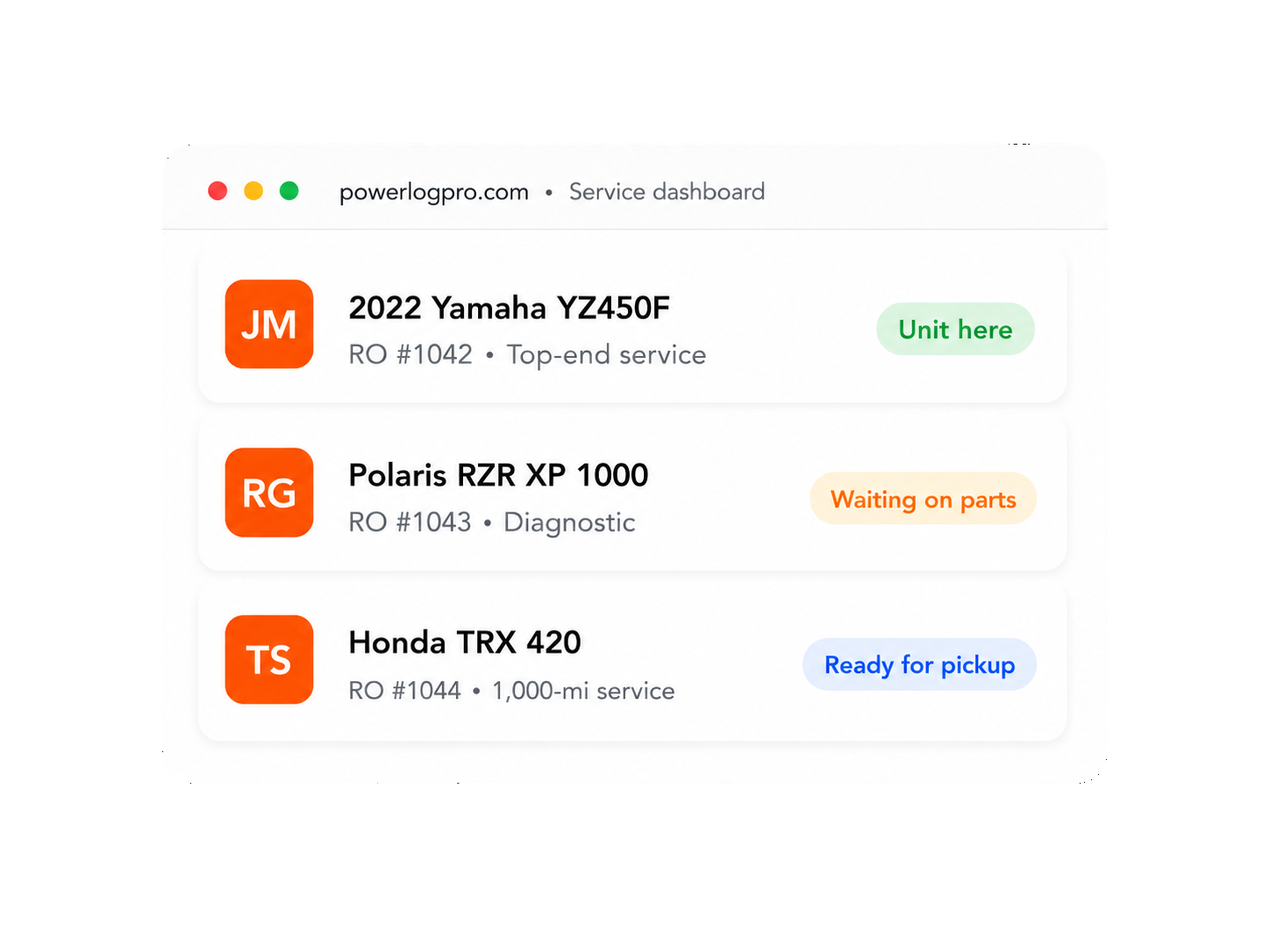
Dealer service dashboard
One screen for the whole service department: incoming requests, open repair orders, and what needs attention today.
Calendar scheduling
Drag-and-drop jobs onto a service calendar by day and technician, so the shop's workload is visible at a glance.
Technician assignment
Assign each repair order to the right technician and keep service advisors and the floor on the same page.
Customer messaging
Update customers about their repair order in one thread — no more scattered calls and texts across personal phones.
Customer iPhone app
Customers track their service, message the shop, and see their vehicles from a dedicated PowerLogPro iPhone app.
Push notifications
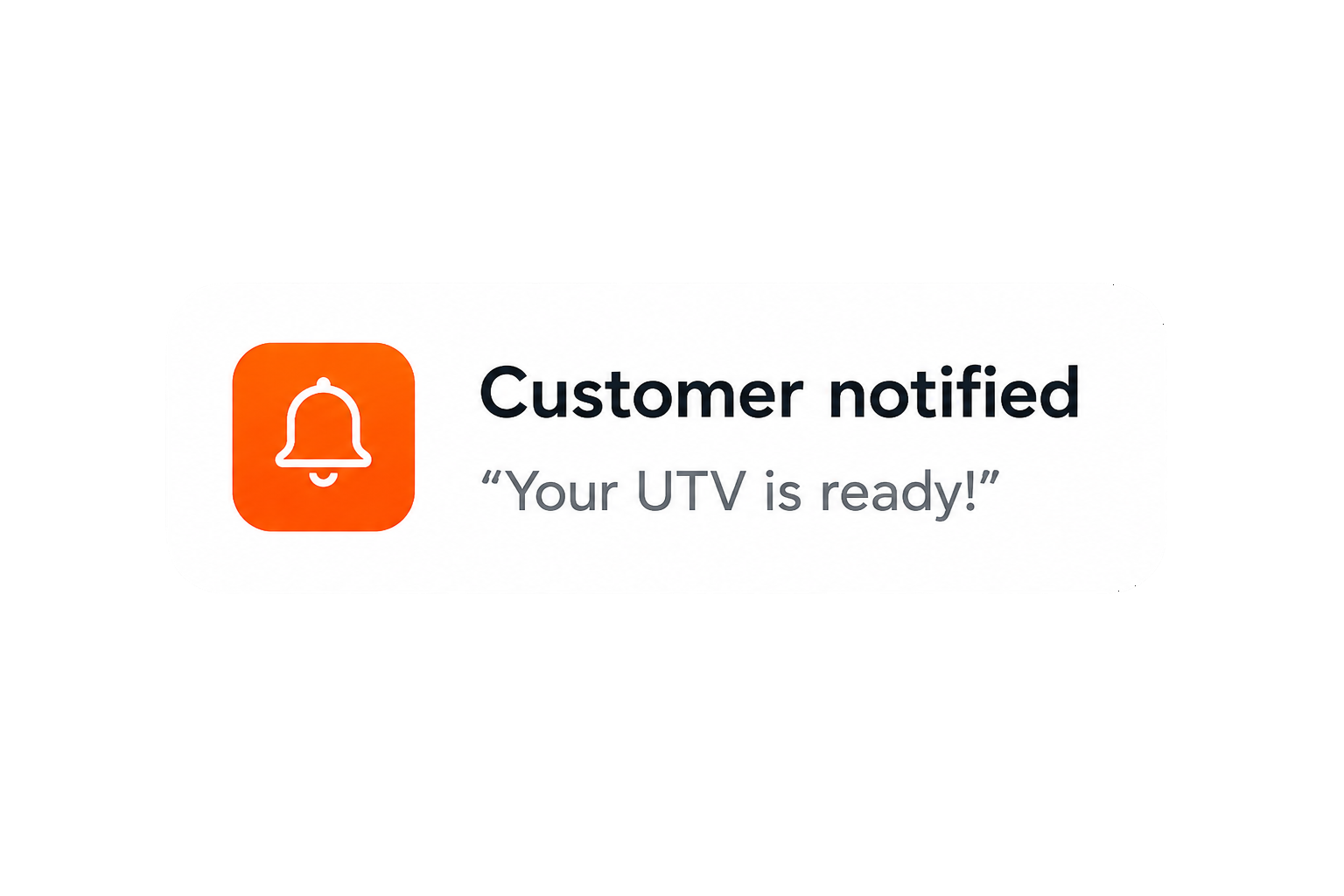
Status changes and new messages reach the customer instantly with push notifications — fewer "is it ready yet?" calls.
DMS / Lightspeed-ready workflow
Bring repair orders in from your DMS export (Lightspeed-ready) so PowerLogPro fits the systems your shop already runs.
Repair-order grouping
Combine multiple jobs on the same unit into one grouped repair order, then schedule and move them together.
Service history & vehicle profiles
Keep a service history and profile for every motorcycle, ATV, and UTV, so past work is one click away on the next visit.
Service Scheduling Software for Powersports Dealers and Repair Shops
PowerLogPro helps motorcycle dealerships, ATV dealers, UTV and side-by-side dealers, and independent powersports repair shops manage online service requests, calendar scheduling, technician assignment, repair-order visibility, customer communication, reminders, and service history — all in one place.
- Schedule jobs by day, technician, and workload. Plan the shop's week and keep bays balanced.
- Track repair orders from check-in to pickup. Every job stays visible through each stage.
- Keep advisors, technicians, and managers on the same page. One shared, up-to-date picture of the day.
- Give customers app-based updates instead of forcing phone calls back and forth.
- Keep service history connected to the customer and the vehicle for the next visit.
Built for powersports service
- Motorcycle dealerships
- ATV dealers
- UTV & side-by-side dealers
- Independent powersports repair shops
Replace the Whiteboard, Sticky Notes, and Phone Tag
Powersports service departments often run on whiteboards, paper, texts, and phone calls — and the picture is out of date by mid-morning. PowerLogPro gives the whole service department one shared view of what's happening, so nothing falls through the cracks.
From the first request to final pickup, the work lives in one place instead of being scattered across the counter and everyone's phone.
- Incoming service requests in a single queue
- Scheduled jobs by day and technician
- Technician assignments everyone can see
- Repair-order groups for multi-job units
- Customer messages tied to the job
- Pickup status for completed work
Calendar Themes Built for Powersports Dealers
PowerLogPro lets your shop keep the familiar default calendar view — or choose a visual style that matches your store's personality. Theme options include motocross, street bike, UTV desert, and ATV mudding looks, while keeping the same scheduling tools, technician colors, job cards, and service workflow.
- Default calendar stays available. Themes are completely optional — the standard PowerLogPro calendar view is always there.
- Manager-selected dealer theme. A manager chooses the calendar theme in admin settings, and it applies for the dealership.
- Powersports-inspired visual styles. Motocross, street bike, UTV desert, and ATV mudding — built for the units you sell and service.
- Same scheduling workflow & technician color tags. Themes change only the look — your job cards, technician colors, and service workflow stay exactly the same.
Keep customers updated without tying up the phones
The number one complaint in powersports service departments is communication. Customers want to know what's happening with their unit — and service advisors don't have time to field "is it ready yet?" calls all day. PowerLogPro keeps customers informed through the iPhone app, push notifications, and messaging tied directly to the job.
When customers don't know what's happening, they call. When staff communication is scattered across personal phones, the whole shop loses visibility. PowerLogPro keeps updates, questions, approvals, reminders, and service history connected to the repair order — a better experience for customers and valuable phone time back for your team.
The result: fewer status calls, a service team that stays in sync, and customers who feel taken care of.
- Status updates without phone tag. Customers see updates throughout the repair and can request an update from the app instead of calling the service desk.
- One message thread for the whole team. Staff and customer messages stay visible to the entire service team, so communication never disappears on one person's phone.
- Digital approvals and questions. Questions, approvals, and updates are handled digitally and tied directly to the service request or repair order.
- Warranty and service reminders. Customers can be notified when a warranty is nearing expiration, or when it may be time to schedule their next service.
- Service history in the customer app. Customers track their vehicle's full service history right inside the PowerLogPro iPhone app.
- Push specials and dealership updates. Send service reminders, specials, and announcements straight to customers' phones.
Customer iPhone App for Service Updates
With the PowerLogPro iPhone app, customers can track their repair status, ask questions, request updates, receive push notifications, view service history, and get warranty expiration and service reminders from the dealership — without playing phone tag.
Every message and update stays connected to the repair order, so the whole service team has the full picture.
- Push notifications for status changes keep customers informed as the job moves.
- Customers can request updates from the app instead of calling.
- Questions and approvals can be handled digitally.
- Service history is visible right in the app.
- Service reminders, warranty expiration reminders, specials, and announcements can be sent from the dealership.
- Communication stays visible to the service team instead of being trapped on one employee's phone.
Made for the way powersports shops actually run
PowerLogPro isn't a generic ticketing tool bolted onto a dealership. It's built around powersports service — the units you wrench on, the seasonality, and the way service advisors and technicians move a repair order through the shop.
From check-in to pickup, in four steps
A straightforward flow your team can adopt without re-training the whole shop.
Customer checks in
A customer requests service online — or you create the job from a phone call or DMS import.
Schedule the work
Drop the repair order onto the service calendar and assign the right technician.
Keep everyone updated
Message the customer and push status updates as the job moves through the shop.
Close & keep history
Complete the repair order and keep a full service history on the vehicle profile.
Frequently Asked Questions
Answers to common questions about PowerLogPro service scheduling software for powersports dealers and repair shops.
What is PowerLogPro?
PowerLogPro is service management and scheduling software for powersports dealerships and repair shops. It helps teams manage service requests, repair orders, technician scheduling, customer messaging, reminders, and service history.
Is PowerLogPro built for powersports dealers?
Yes. PowerLogPro is built around motorcycles, ATVs, UTVs, side-by-sides, service advisors, technicians, repair orders, and the way powersports service departments actually work.
Can independent motorcycle repair shops use PowerLogPro?
Yes. PowerLogPro can help both dealerships and independent powersports repair shops manage scheduling, customer updates, service history, and shop workflow.
Does PowerLogPro include service scheduling?
Yes. PowerLogPro includes a service calendar for scheduling jobs by day, technician, workload, and repair-order status.
Does PowerLogPro have a customer iPhone app?
Yes. Customers can use the PowerLogPro iPhone app to view service status, message the shop, request updates, receive notifications, and track service history.
Can customers receive push notifications?
Yes. Dealers can send push notifications for service updates, messages, reminders, specials, and dealership announcements.
Can customers see their service history?
Yes. Customers can view vehicle service history through the PowerLogPro iPhone app, helping them keep track of completed work and future service needs.
Does PowerLogPro help reduce phone calls?
Yes. Automatic status updates, app messaging, push notifications, and digital approvals help reduce incoming “is it ready yet?” calls.
Can the whole staff see customer messages?
Yes. Messages are tied to the service request or repair order so advisors, managers, and staff can see the communication history instead of relying on one person’s phone.
Can PowerLogPro send warranty expiration reminders?
Yes. PowerLogPro can help dealers notify customers when warranty expiration is approaching and remind customers when it may be time to schedule service.
Does PowerLogPro work for motorcycles, ATVs, and UTVs?
Yes. PowerLogPro is designed for powersports units including motorcycles, ATVs, UTVs, side-by-sides, dirt bikes, street bikes, and off-road vehicles.
Does PowerLogPro replace my DMS?
PowerLogPro is not intended to replace every function of a DMS. It is designed to improve service workflow, scheduling, communication, and repair-order visibility alongside the systems your dealership already uses.
Is PowerLogPro Lightspeed-ready?
PowerLogPro is designed with a DMS / Lightspeed-ready workflow so repair-order information can fit alongside the systems powersports dealers already use.
Can managers customize the calendar look?
Yes. Managers can choose optional powersports-inspired calendar themes while keeping the same scheduling workflow, technician colors, job cards, and service process.
See PowerLogPro on your service drive
Book a walkthrough and we'll show how PowerLogPro fits your shop — your units, your advisors, your repair-order flow. No pressure, just a real look at the service workflow.